> ## Documentation Index
> Fetch the complete documentation index at: https://docs.medstrato.com/llms.txt
> Use this file to discover all available pages before exploring further.
# Document Upload & AI Parse
> Upload RFP and technical documents to MedStrato, then use AI parsing to extract structured requirements, categories, and parameters automatically.
# Document Upload & AI Parse
Once your tender is created, upload the source documents and let AI break them into structured, actionable requirements.
> **Scenario:** A procurement team receives a 200-page hospital RFP. They upload the PDF, run AI parse, and within seconds have 47 structured parameters organized into categories — ready for product matching in the Technical editor.
## Upload documents
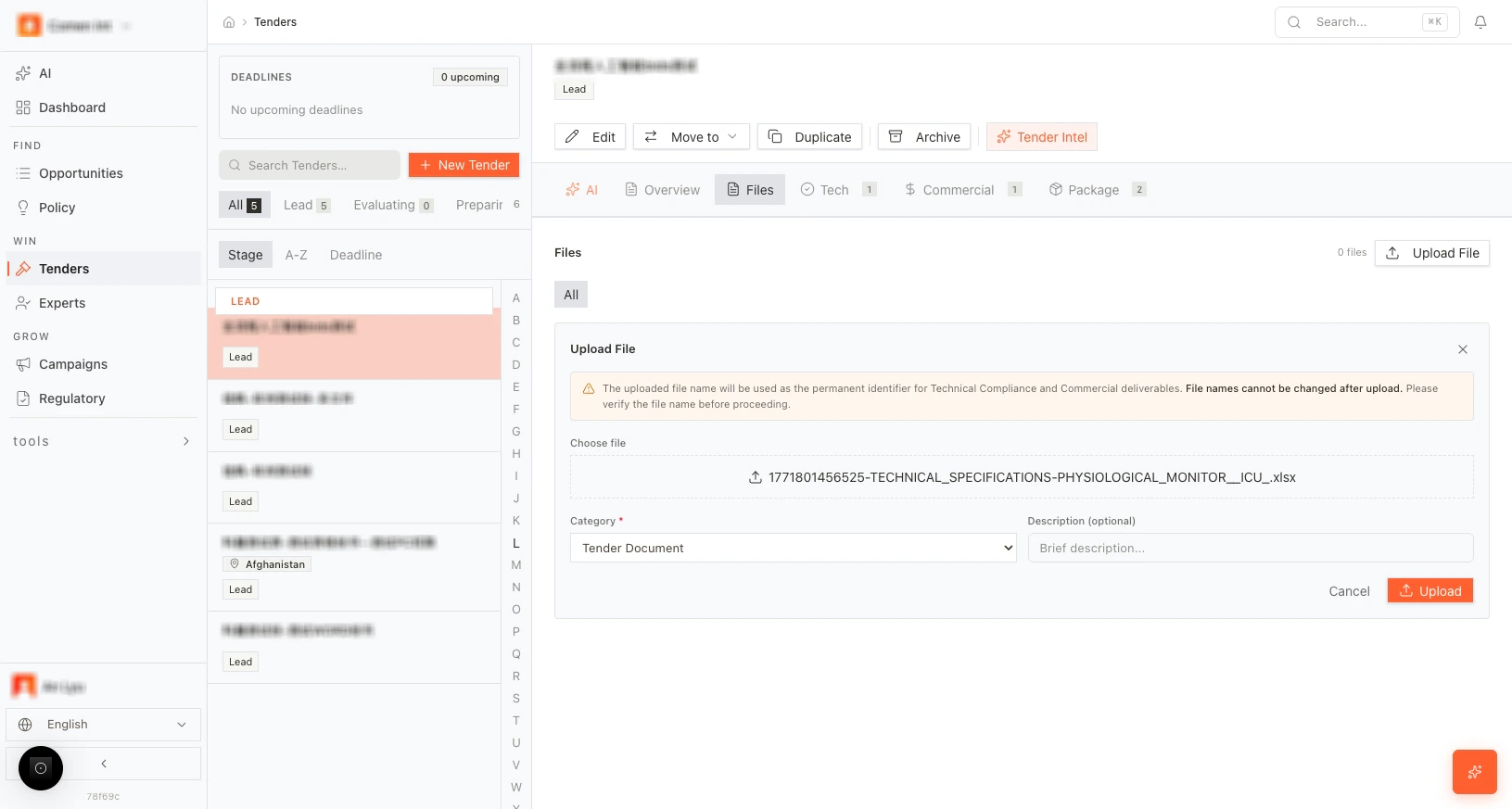
Open your tender and go to the **Files** tab. Upload the RFP, technical specifications, or any supporting documents. Supported formats include **PDF** and **DOCX**.
 ## Run AI parse
After uploading, click **AI Parse** (or the equivalent button) to start extraction.
## Run AI parse
After uploading, click **AI Parse** (or the equivalent button) to start extraction.
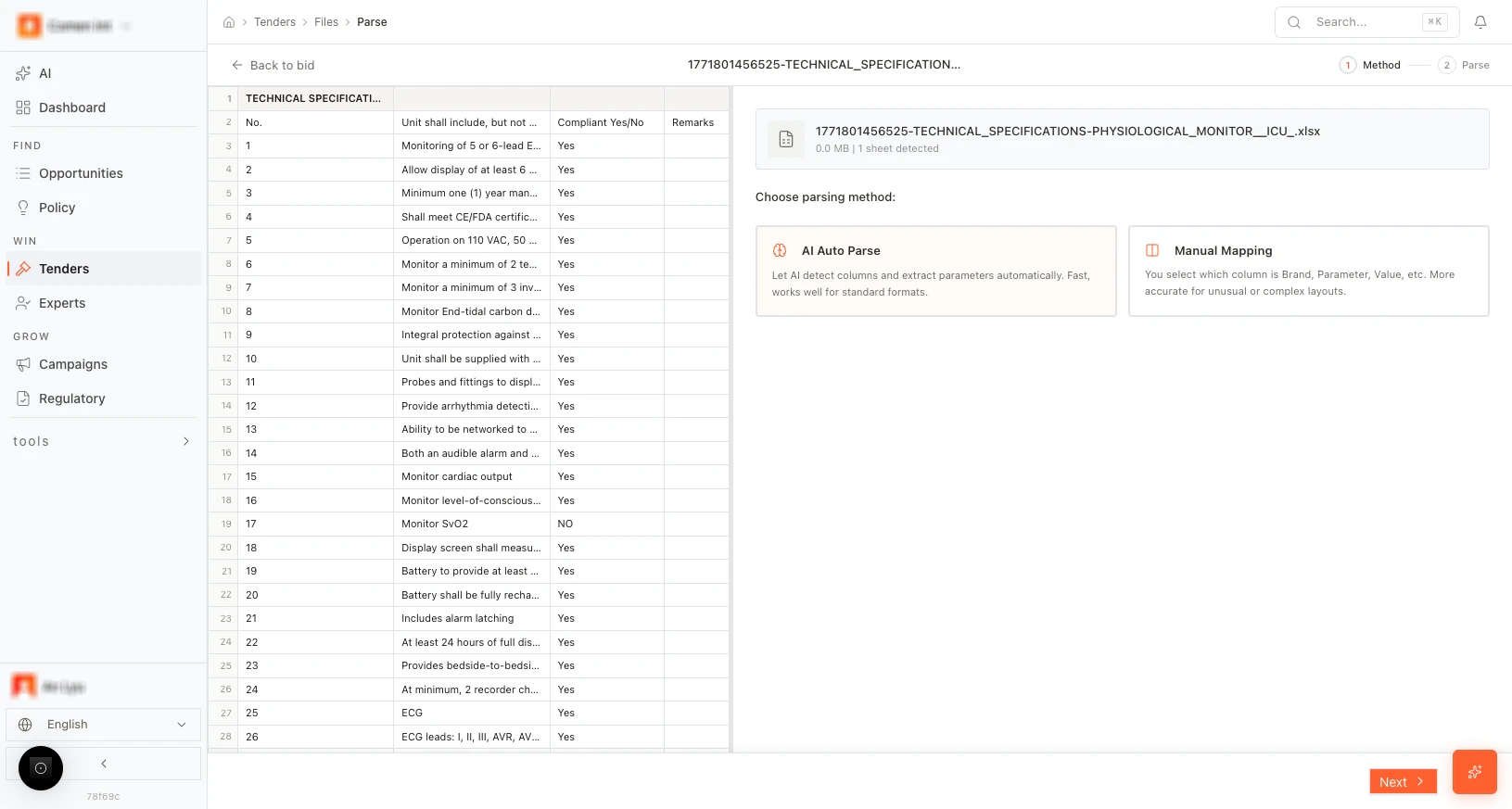 The parser reads through the documents and extracts:
* **Categories** — Logical groupings of requirements (e.g., equipment specs, service terms).
* **Parameters** — Individual requirements within each category.
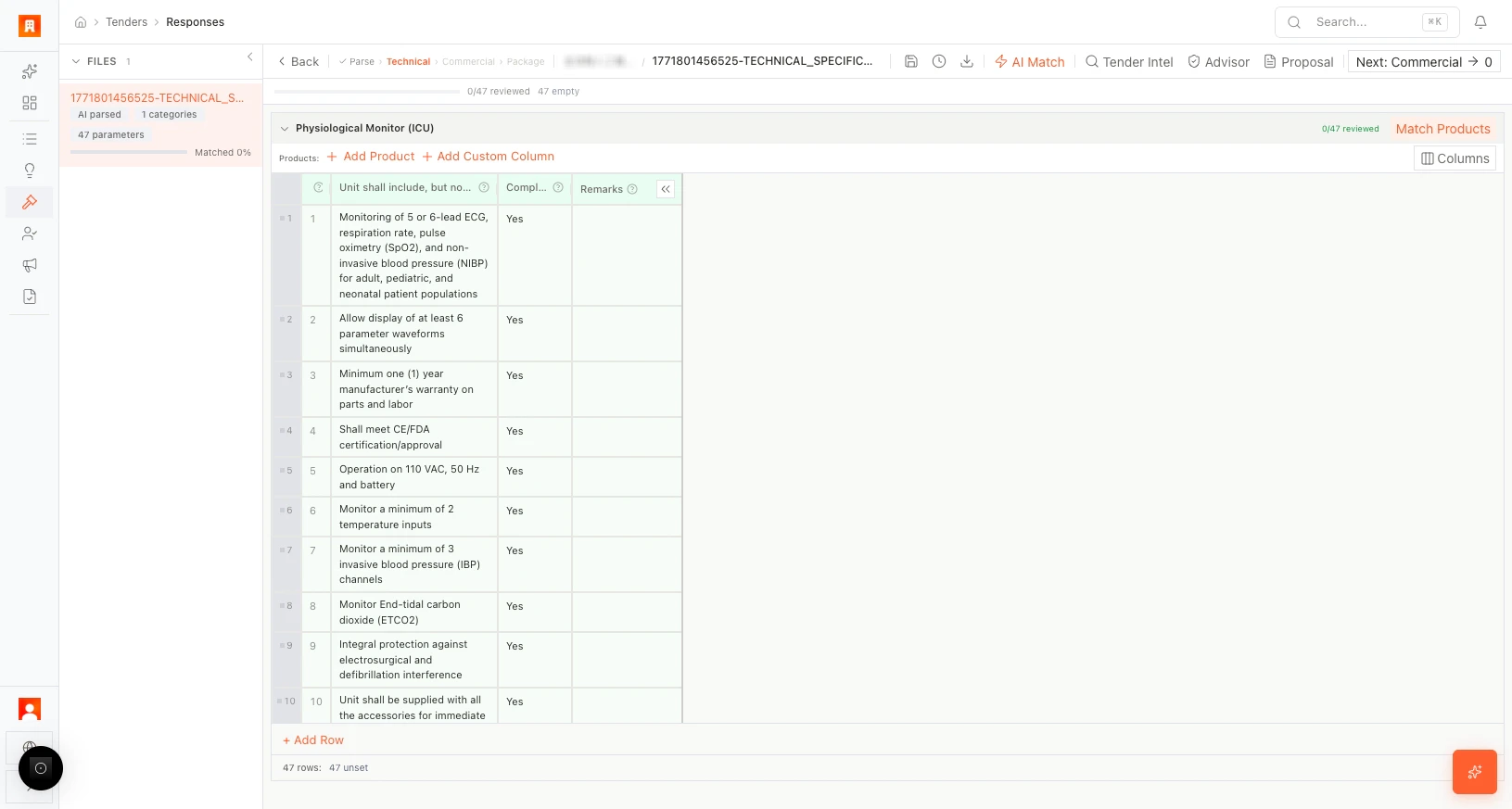
* **Matched %** — Shows how many requirements are linked to your products (starts at 0%, updates as you match in the Technical editor).
The parser reads through the documents and extracts:
* **Categories** — Logical groupings of requirements (e.g., equipment specs, service terms).
* **Parameters** — Individual requirements within each category.
* **Matched %** — Shows how many requirements are linked to your products (starts at 0%, updates as you match in the Technical editor).
 ## What happens next
From the parse results screen, you can enter the **Technical editor** to begin matching products to requirements.
For best results, upload the most detailed technical specification document first. The AI parser prioritizes the primary document for requirement extraction.
## More scenarios
> **Multi-document tender:** A government RFP arrives as six separate files — technical specs, administrative requirements, pricing template, evaluation criteria, draft contract, and amendments. The bid team uploads all six. AI parse consolidates requirements across documents into a single structured view, flagging where amendments override original specs.
> **Tight deadline:** An urgent tender lands on Friday afternoon with a Monday submission deadline. The compliance lead uploads the 90-page PDF, runs AI parse, and has structured requirements ready in under a minute — leaving the weekend for technical and commercial work instead of manual extraction.
## Next step
[Open the Technical editor →](/guides/tenders/technical-editor)
## Related resources
Review how document parsing connects to matching, compliance, pricing, and proposal export.
Follow the complete workflow from RFP intake to final submission.
Set up tender metadata before uploading source files.
## What happens next
From the parse results screen, you can enter the **Technical editor** to begin matching products to requirements.
For best results, upload the most detailed technical specification document first. The AI parser prioritizes the primary document for requirement extraction.
## More scenarios
> **Multi-document tender:** A government RFP arrives as six separate files — technical specs, administrative requirements, pricing template, evaluation criteria, draft contract, and amendments. The bid team uploads all six. AI parse consolidates requirements across documents into a single structured view, flagging where amendments override original specs.
> **Tight deadline:** An urgent tender lands on Friday afternoon with a Monday submission deadline. The compliance lead uploads the 90-page PDF, runs AI parse, and has structured requirements ready in under a minute — leaving the weekend for technical and commercial work instead of manual extraction.
## Next step
[Open the Technical editor →](/guides/tenders/technical-editor)
## Related resources
Review how document parsing connects to matching, compliance, pricing, and proposal export.
Follow the complete workflow from RFP intake to final submission.
Set up tender metadata before uploading source files.