> ## Documentation Index
> Fetch the complete documentation index at: https://docs.medstrato.com/llms.txt
> Use this file to discover all available pages before exploring further.
# Tender Intel — AI-Powered Bid Assistant
> Ask natural-language questions about any tender's documents and requirements. Tender Intel provides instant answers with source references to help you prepare better bids.
# Tender Intel
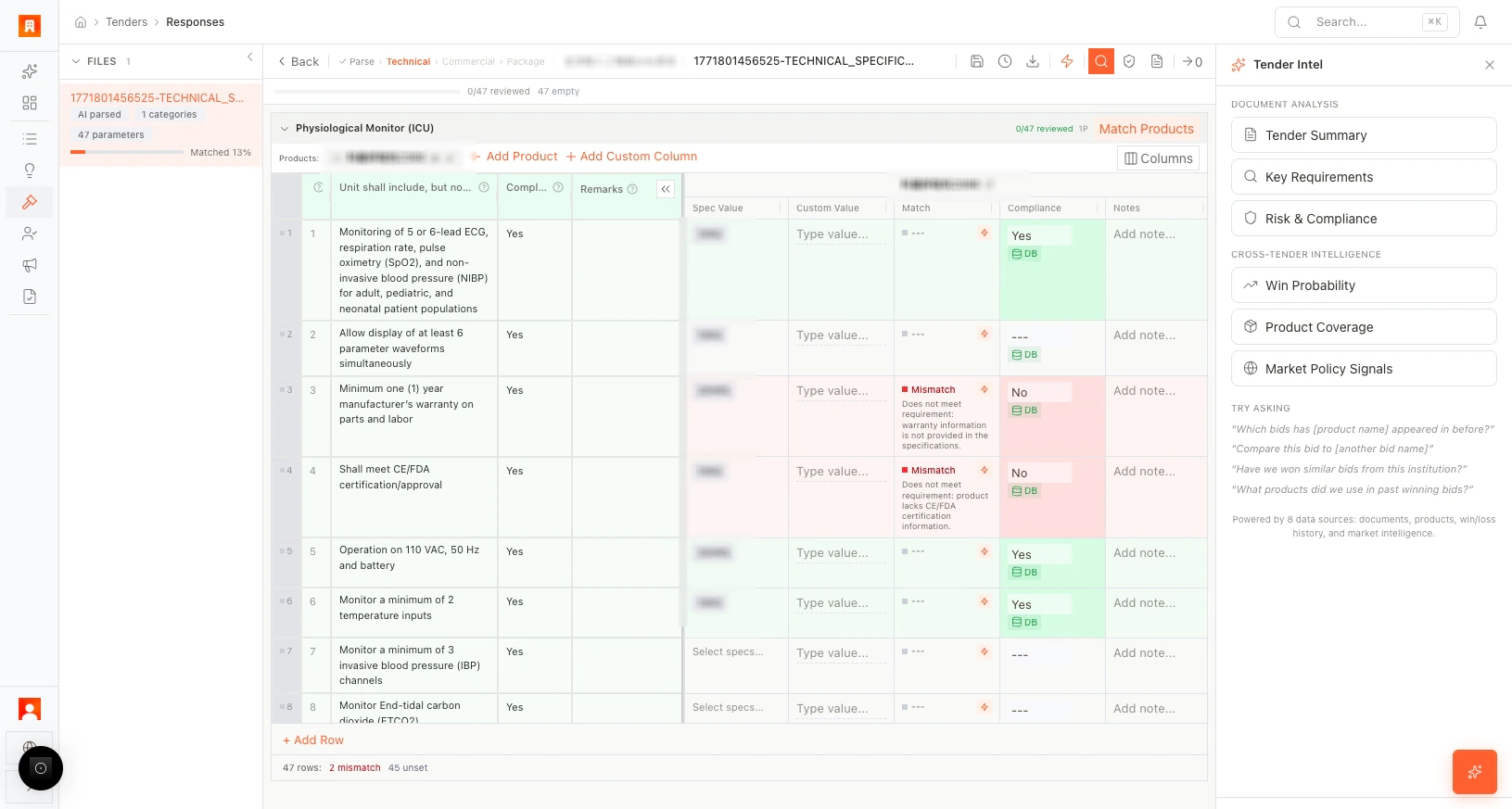
Tender Intel is an AI assistant that reads your tender documents and answers questions in natural language. Instead of searching through hundreds of pages, ask what you need and get an instant, sourced answer.
> **Scenario:** A compliance officer needs to know whether the RFP includes penalty clauses for late delivery. She opens Tender Intel, types "What are the penalty clauses for late delivery?", and gets the exact clause text with a reference to page 47 of the specification document — in seconds.
## Open Tender Intel
From any tender, click **Ask Tender Intel** (usually in the top-right area of the Technical editor or the **AI** tab).
 ## How it works
1. Type a question in natural language.
2. Tender Intel searches the parsed documents and your product data.
3. You receive an answer with source references (document name, section, or page).
## Example questions
| Question | What you get |
| -------------------------------------------------- | --------------------------------------------- |
| "What are the key technical requirements?" | A summary of critical specifications |
| "Are there penalty clauses?" | Exact clause text with document reference |
| "What certifications are required?" | List of required certifications and standards |
| "How does this compare to our last similar bid?" | Comparison against historical tender data |
| "What are the evaluation criteria and weightings?" | Scoring methodology from the RFP |
| "What are the delivery timeline requirements?" | Key dates and milestones |
## When to use Tender Intel
* **Before bidding** — quickly assess scope, risks, and requirements.
* **During technical compliance** — clarify ambiguous requirements.
* **During pricing** — understand payment terms, bonds, or penalties.
* **For bid/no-bid decisions** — get a fast overview of complexity and fit.
## More scenarios
> **Bid/no-bid decision:** A business development director needs to decide within an hour whether to pursue a complex multi-lot tender. She opens Tender Intel and asks: "What is the estimated total value?", "Do we need local manufacturing?", and "What are the evaluation weightings?" In five minutes she has enough information to make a confident go/no-go call.
> **Q\&A preparation:** Before the buyer's clarification deadline, the bid team uses Tender Intel to identify ambiguous requirements. They ask "Which specifications reference standards we don't currently hold?" and submit targeted clarification questions — instead of re-reading the entire document.
Tender Intel answers improve as you add more documents. Upload all relevant files (RFP, amendments, Q\&A responses) for the most complete answers.
## Next step
[Learn about post-bid evaluation →](/guides/tenders/post-bid-evaluation)
## Related resources
Read the main-site article on semantic matching, confidence scoring, and evidence chains.
Use one click to parse, match, check compliance, and build a proposal package.
## How it works
1. Type a question in natural language.
2. Tender Intel searches the parsed documents and your product data.
3. You receive an answer with source references (document name, section, or page).
## Example questions
| Question | What you get |
| -------------------------------------------------- | --------------------------------------------- |
| "What are the key technical requirements?" | A summary of critical specifications |
| "Are there penalty clauses?" | Exact clause text with document reference |
| "What certifications are required?" | List of required certifications and standards |
| "How does this compare to our last similar bid?" | Comparison against historical tender data |
| "What are the evaluation criteria and weightings?" | Scoring methodology from the RFP |
| "What are the delivery timeline requirements?" | Key dates and milestones |
## When to use Tender Intel
* **Before bidding** — quickly assess scope, risks, and requirements.
* **During technical compliance** — clarify ambiguous requirements.
* **During pricing** — understand payment terms, bonds, or penalties.
* **For bid/no-bid decisions** — get a fast overview of complexity and fit.
## More scenarios
> **Bid/no-bid decision:** A business development director needs to decide within an hour whether to pursue a complex multi-lot tender. She opens Tender Intel and asks: "What is the estimated total value?", "Do we need local manufacturing?", and "What are the evaluation weightings?" In five minutes she has enough information to make a confident go/no-go call.
> **Q\&A preparation:** Before the buyer's clarification deadline, the bid team uses Tender Intel to identify ambiguous requirements. They ask "Which specifications reference standards we don't currently hold?" and submit targeted clarification questions — instead of re-reading the entire document.
Tender Intel answers improve as you add more documents. Upload all relevant files (RFP, amendments, Q\&A responses) for the most complete answers.
## Next step
[Learn about post-bid evaluation →](/guides/tenders/post-bid-evaluation)
## Related resources
Read the main-site article on semantic matching, confidence scoring, and evidence chains.
Use one click to parse, match, check compliance, and build a proposal package.