

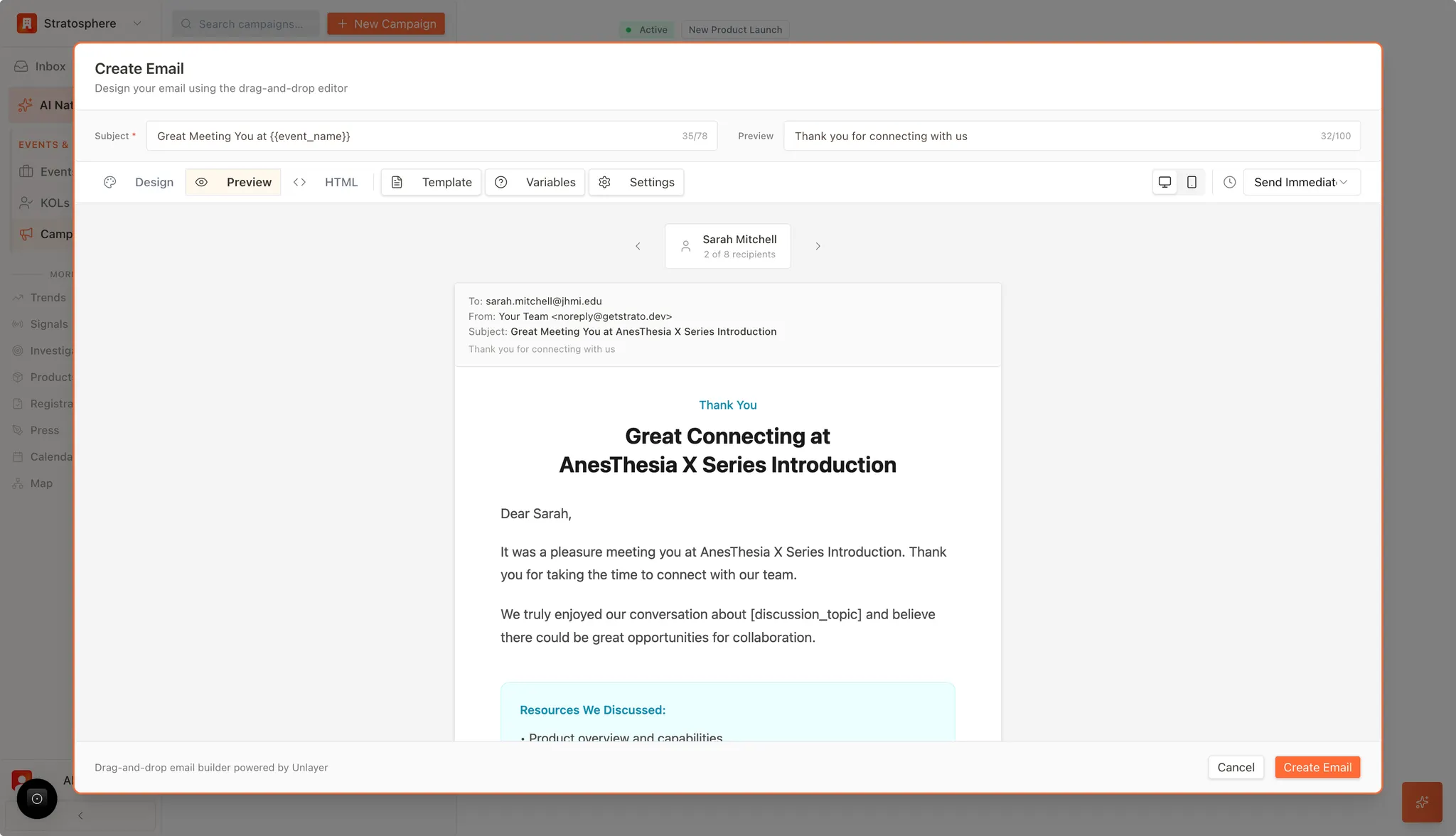
What you can do
- Preview the email for a specific recipient (variables applied).
- Switch between desktop and mobile layout.
- Catch missing variables, broken links, and layout issues before sending.
Steps
- Open the email in your campaign and switch to Preview.
- Use the arrows to step through recipients (e.g., “2 of 8”).
- Toggle Desktop / Mobile views.
- Verify the subject line, sender, preheader, and any key links/buttons.
What to check
- Variables render correctly: no raw
{{variable}}placeholders. - Layout and spacing: headings, paragraphs, and buttons look good on mobile.
- Links work: event links, calendar links, unsubscribe link.
- Branding: logo, sender name/title, and tone are consistent.
Next steps
- If anything is off, return to Design or Variables, then preview again.
- When ready, proceed to create/send the email per your campaign workflow.