

What you can do
- Create and manage events (conferences, symposiums, meetings).
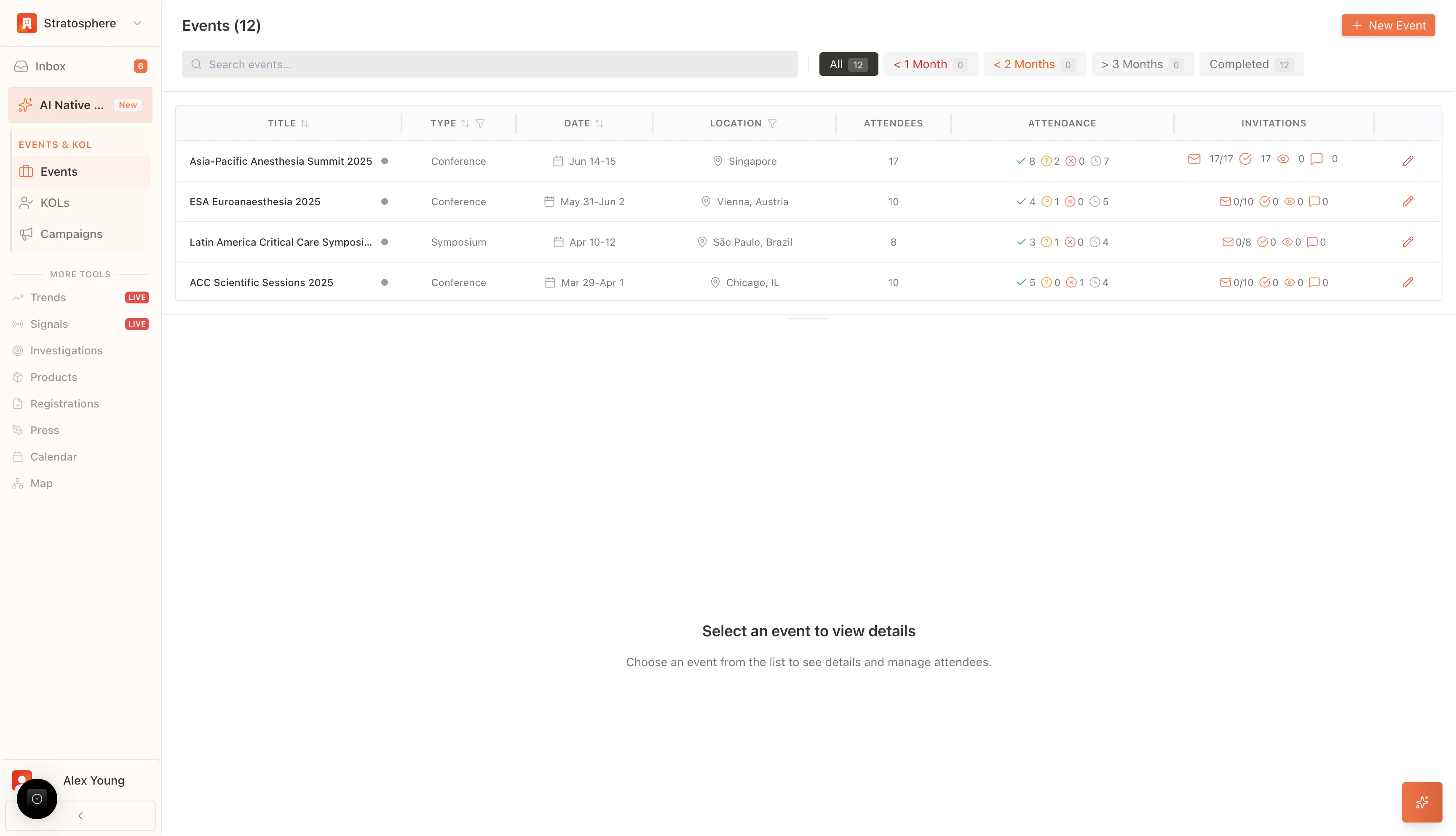
- Search and filter by timeline (upcoming vs completed).
- Track attendee RSVP status and invitation engagement.
- Open an event to manage agenda, attendees, materials, and submissions.
Where to find it
- Open
Eventsfrom the main navigation.
Search and filters
- Search: find events by title or keyword.
- Time filters: focus on events happening soon (e.g., within 1 month) or review past events in Completed.
What you’ll see on the list
- Event title/type/date/location.
- RSVP breakdown (confirmed/tentative/declined/pending).
- Invitation analytics (delivery, opens, responses).
Next steps
- Create a new event: use New Event.
- Manage an existing event: select an event row to open details.