

What attendees can do
- View logistics (date, time, location), agenda, and event context.
- Add the event to a calendar and share the page.
- Register (if enabled) and submit materials (if enabled).
Public page features
The header section provides immediate visibility into the core logistical parameters of the event:- Key Details: Clearly displays the Event Title, Date range, Time duration, and physical Location (e.g., Singapore).
- Calendar Synchronization: The Add to Calendar button allows attendees to instantly export the event schedule to their personal calendars (Google, Outlook, iCal), ensuring better attendance rates.
- Social Sharing: The Share button generates direct links for distribution across social platforms or communication channels to increase event reach.
Agenda and content
The body of the page dynamically renders the content configured in the administrative backend:- Contextual Information: The “About This Event” and “Objectives” sections provide attendees with the background context, goals, and target audience for the gathering.
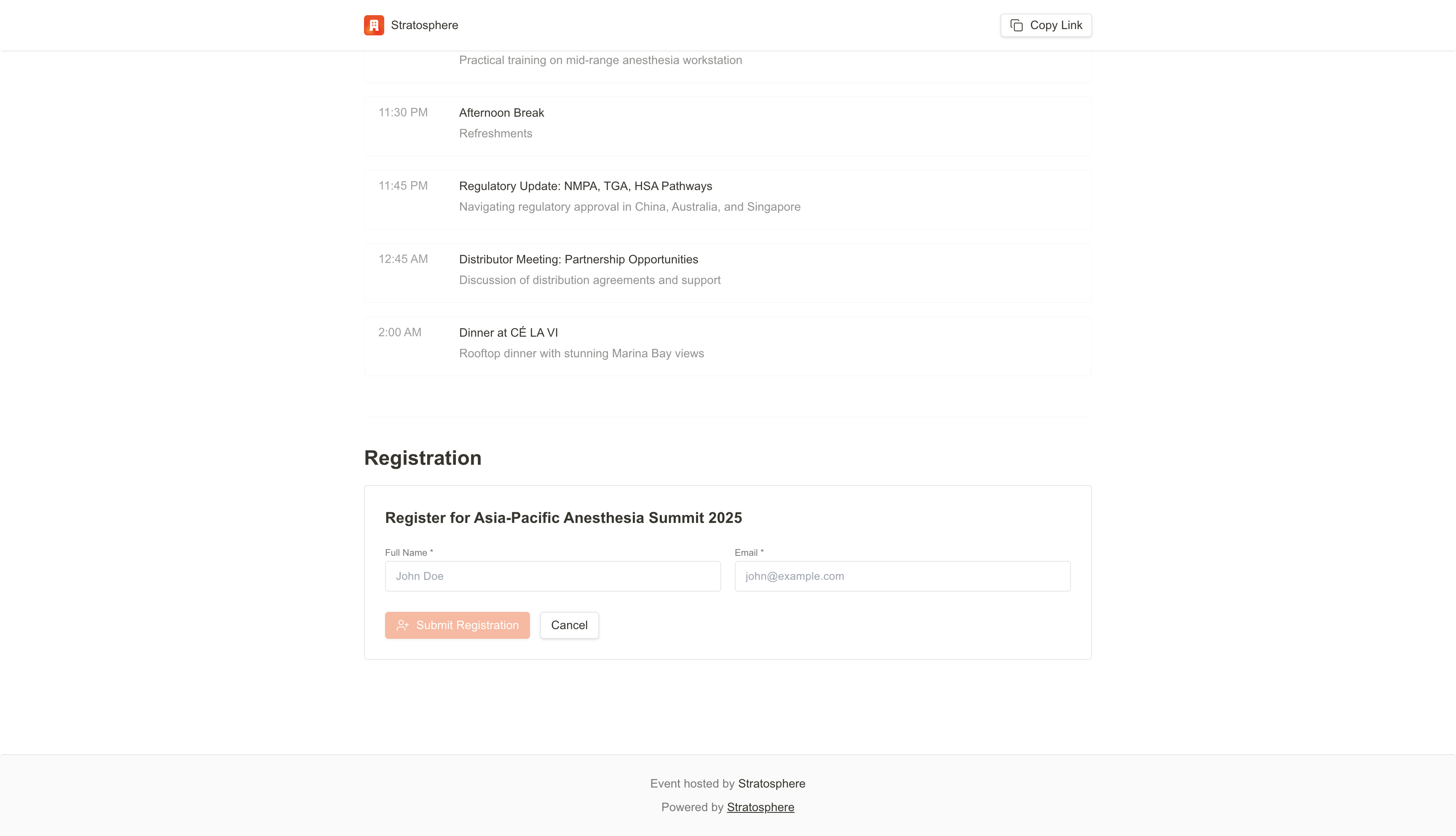
- Live Agenda: The “Agenda” section presents a chronological breakdown of the event schedule. It details specific session times, topics, and venue instructions (e.g., “Registration & Morning Tea at Marina Bay Sands Convention Centre”), helping attendees plan their participation effectively.
Registration flow
If registration is enabled, attendees complete a short form and submit.Required fields
- Full name
What happens after submission
- Auto-confirm: attendees receive a confirmation email immediately (open registration).
- Approval required: attendees remain Pending until an admin approves.
- Capacity rules: when the maximum is reached, registration closes or moves to a waitlist.
Admin notes
- Registrations sync into the internal event Attendees list for tracking and follow-up.