

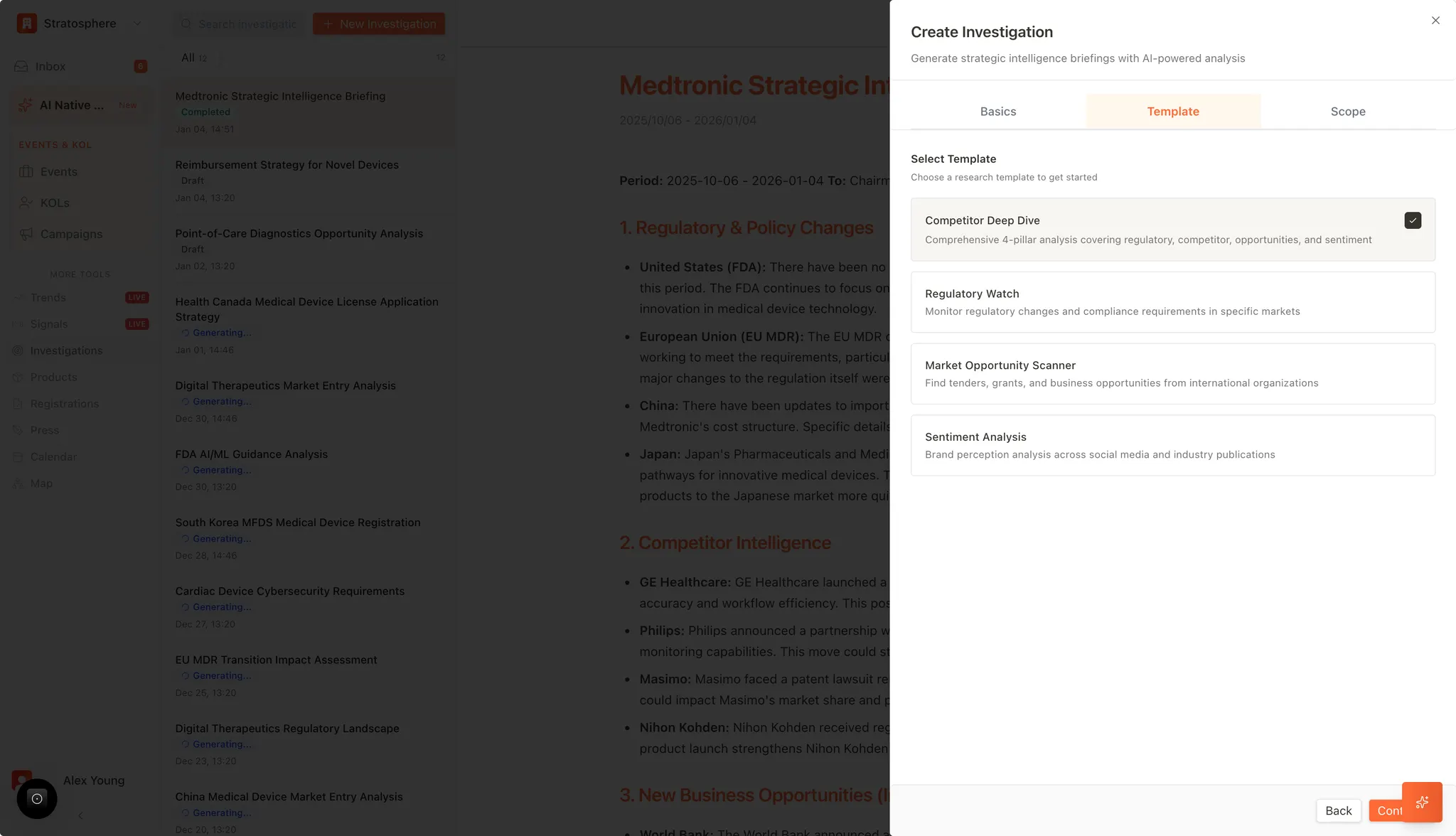
What you can do
- Create investigation reports from templates.
- Track status (generating → draft → completed).
- Reopen or refresh past investigations.
- Export and share reports with stakeholders.
Where to find it
- Open
Investigationsfrom the main navigation.
How investigations are organized
- New Investigation starts a new run using a template and scope.
- The left panel acts as an archive of past investigations.
- Each report shows a status such as Generating…, Draft, or Completed.
What’s in a report
Depending on the template, reports may include:- Regulatory and policy changes
- Competitor intelligence
- Market opportunity signals (tenders, grants, programs)
- Sentiment and reputation insights
Export and sharing
- Export reports to formats like PDF/Word for distribution.
- Use sharing tools to send reports to collaborators.