

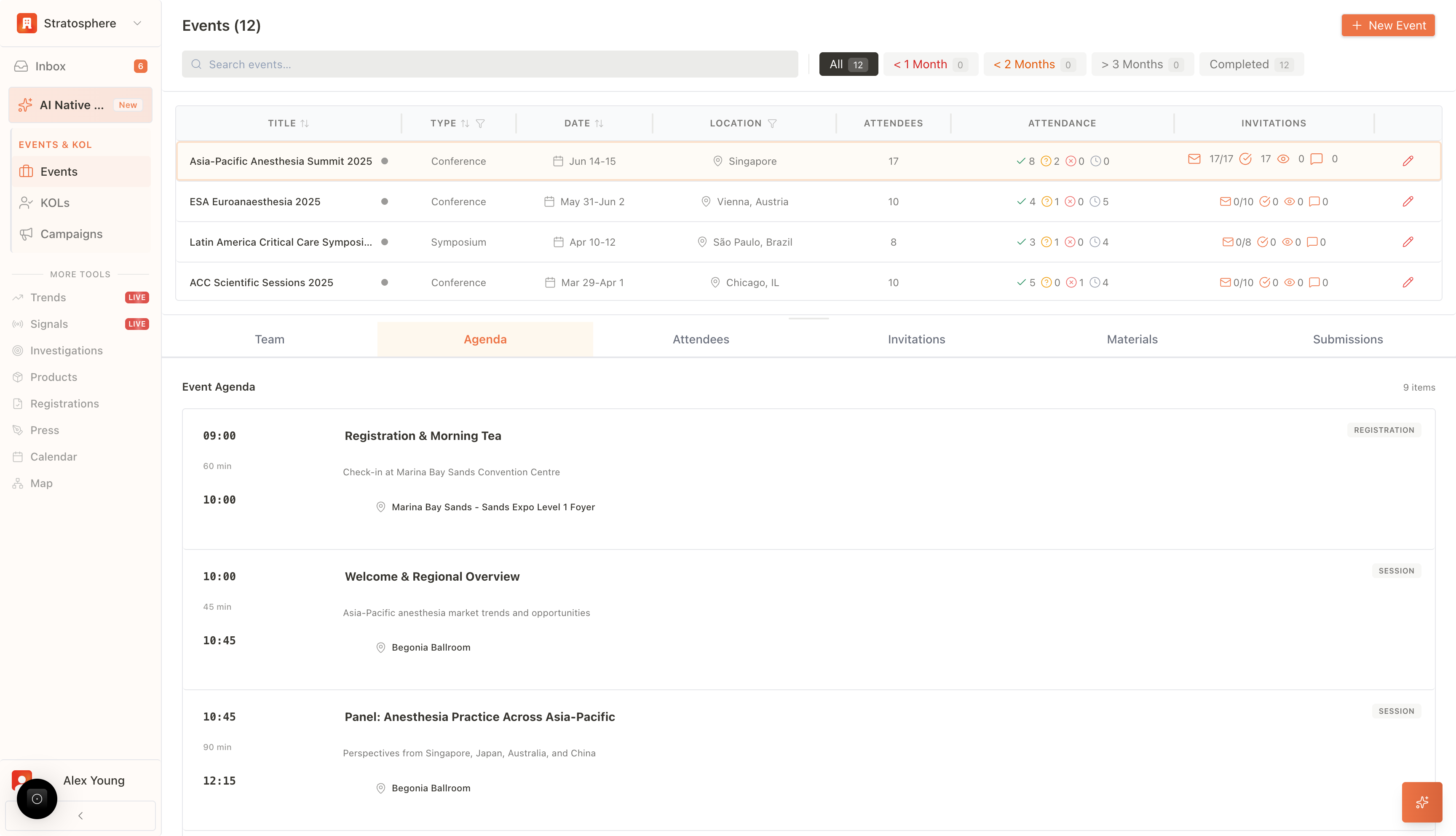
Where to find it
- Open
Events→ select an event →Event Details.
What you can do
- Manage event team and internal roles.
- Build and publish the agenda.
- Add and manage attendees (including RSVP status).
- Send invitations and track performance.
- Upload and distribute event materials.
- Review submissions (e.g., abstracts, feedback, documents).
Tabs and what they’re for
Team
This module governs internal collaboration and access control for the event.- Member Assignment: Add or remove internal team members responsible for organizing this specific event.
- Role Definition: Assign administrative privileges and responsibilities to team members to ensure clear ownership of tasks.
Agenda
The Agenda tab allows for the construction and modification of the event’s chronological schedule.- Session Management: Create, edit, or delete individual sessions. Users can define start and end times, session titles, and detailed descriptions.
- Venue & Speaker Allocation: Assign specific physical locations (e.g., “Begonia Ballroom”) and link confirmed speakers from the attendee list to their respective sessions.
Attendees
This section serves as the central registry for participant management and is the active view in the provided screenshot.- Profile Editing: Modify participant details, including Name, Institution, and Medical Specialties.
- Status Control: Manually update the RSVP status of guests (e.g., changing “Invited” to “Confirmed” or “Tentative”) to maintain accurate headcount data.
- Role Designation: Classify participants by their function, such as “Speaker,” “Attendee,” or “VIP,” directly via dropdown menus.
- Actions: Utilize the action toolbar to view detailed profiles (eye icon), edit data fields (pencil icon), or remove participants from the list (trash bin icon).
Invitations
The Invitations tab manages external communication and outreach workflows.- Campaign Management: Configure and send email invitations to selected segments of the attendee list.
- Tracking: Monitor the real-time status of sent communications, including delivery rates, open rates, and response tracking.
Materials
This module functions as a digital repository for event-related assets.- Asset Management: Upload and organize essential documents such as brochures, presentation decks, and logistical guides.
- Distribution: Manage which materials are visible to attendees or restricted for internal team use.
Submissions
The Submissions tab handles the intake and review of external content.- Content Review: Manage incoming submissions such as research abstracts, speaker proposals, or poster session entries.
- Approval Workflow: Review submitted content and assign status updates (e.g., “Accepted,” “Rejected,” or “Under Review”).