

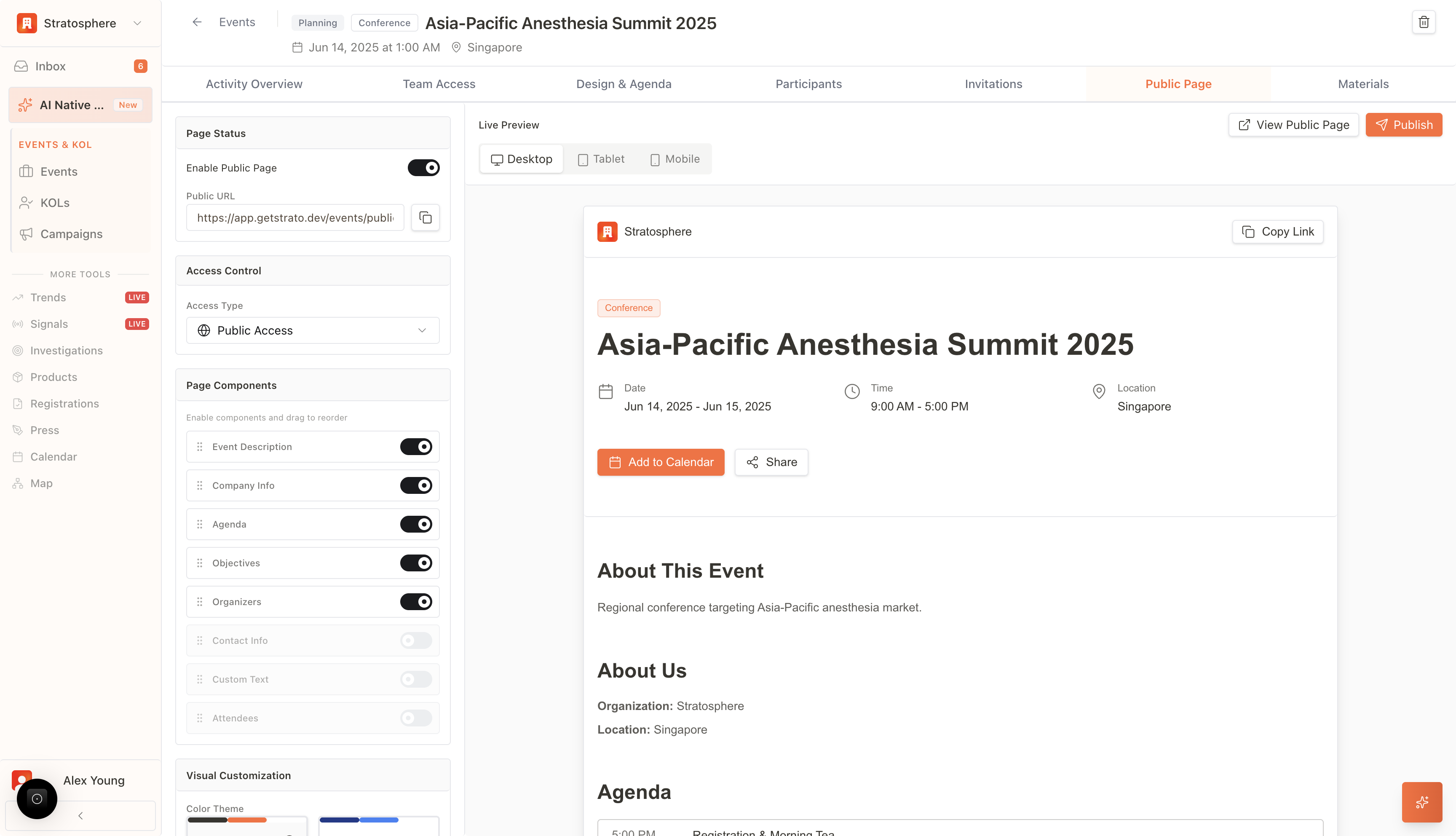
What you can do
- Generate a unique public URL for an event.
- Share the URL with attendees.
- Disable the link to revoke access instantly.
- Control visibility, capacity, and approval rules for registration.
Where to find it
- Open
Events→ select an event →Activity Overview→Public Sharing.
Manage the public link
- Copy link: click Copy to share the URL (e.g.,
https://app.medstrato.com/...). - Deactivate link: disables the URL immediately and blocks new access.
What attendees can do on the public page
- Event Information: View the essential details configured in the Basic Information, Date & Time, and Location sections, including the event description, schedule, and venue map.
- Registration: Attendees can sign up for the event directly. The registration flow adheres to the rules set in the Registration Settings (e.g., “Invite Only” or “Approval Required”).
- Submissions: The portal provides a secure interface for attendees to submit required materials, such as speaker abstracts, presentation decks, or post-event feedback.
Visibility and access control
The behavior of the Public Page is governed by the Registration settings panel:- Event Visibility: Controls whether the page is accessible to the general public or restricted to organization members.
- Capacity Management: If a Maximum Attendees limit is set, the Public Page will automatically close registration once the cap is reached or redirect users to a waitlist.
- Approval Logic: If “Require manual approval for all registrations” is enabled, registrants via the Public Page will be placed in a “Pending” state until verified by an administrator.